Empower®
- 3.2
- Rating
- 1.00M
- Installs
- Free
- Price

 Analysis by App-foxy
Managing retirement money is rarely difficult because people cannot save; it is difficult because the money is spread across workplace plans, individual retirement accounts, retail accounts, and health savings accounts. Empower® is built for a fairly specific audience: customers whose retirement plan, IRA, retail, or HSA account is serviced by Empower®. After spending time with it, I see its main value less as a general budgeting tool and more as a single mobile window into long-term accounts that are otherwise easy to ignore.
That distinction matters. If you want a complete replacement for a daily spending tracker, this is probably not the first app I would choose. If your employer or financial provider already uses Empower®, however, the app can make retirement planning feel more present in ordinary life. I found the most useful habit was not constantly checking balances, but opening the app when a work change, a contribution decision, or a major personal expense made me wonder whether my long-term plan still made sense.
Why the account overview is the app’s real strength
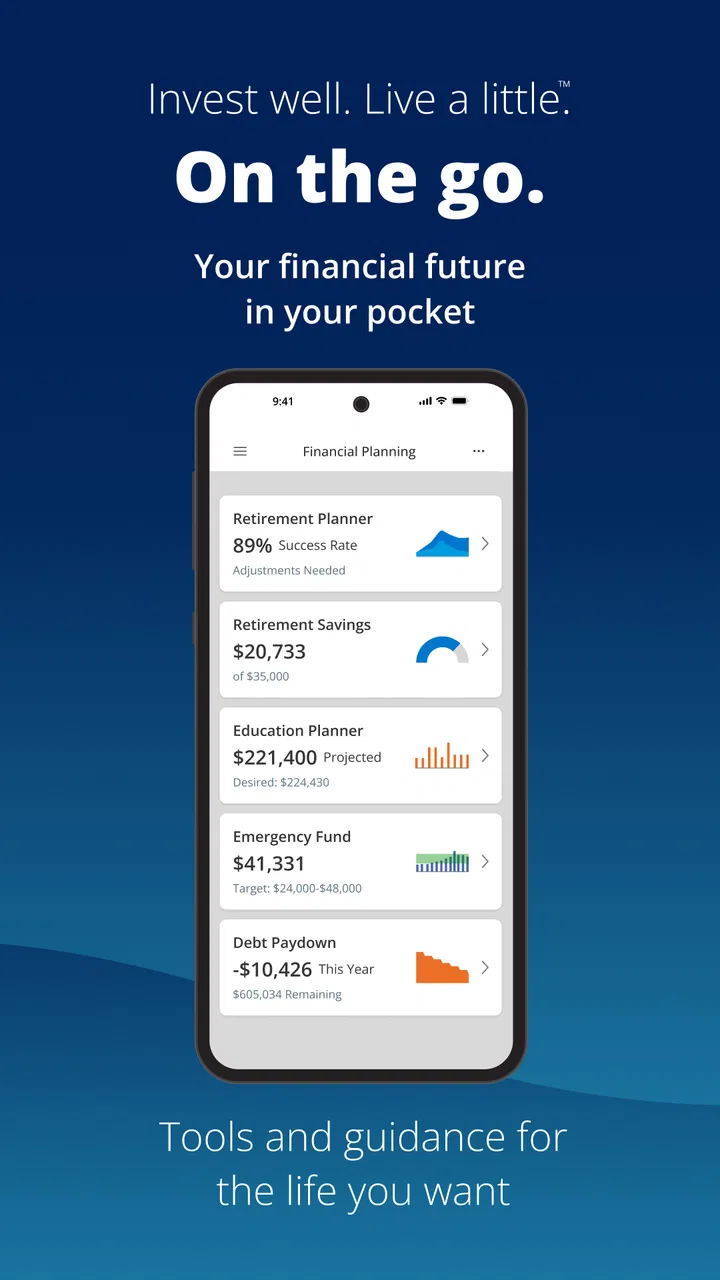
The central capability is bringing eligible Empower®-serviced accounts into one place. That sounds simple, but it changes how I think about retirement money. A workplace plan can feel disconnected from an IRA, while an HSA is often treated as a separate medical account rather than part of a broader financial picture. Seeing those relationships through one app makes it easier to ask a more useful question: am I building a coherent plan, or merely collecting separate balances?
You May Also Like

 Blood Strike: 2.5 Anniversary
Blood Strike’s Loadouts Turn Every Drop Into a Tactical Gamble
A close look at Blood Strike’s custom loadouts: how fast access to signature weapons reshapes its battle royale rhythm, rewards preparation, and narrows the gap between fights.

 Pandora - Music & Podcasts
Pandora’s Music Is Easy to Start, but Harder to Recover
Pandora’s strength is its low-effort path from a seed to a station. Its weak spot is how much confidence it asks you to place in connection, setup, and quiet recovery.

 8 Ball Pool
 Is Built on Rivalries, Rematches, and Routine
A close look at the rivalries, rematches, shared routines, and unanswered safety questions that turn a quick pool match into a persistent mobile community.

 Samsung Music
’s Quiet Strength Is Playing What You Already Own
Its reach comes less from spectacle than from dependable access to a personal library. That simplicity is both the app’s strongest retention engine and its ceiling.

 AccuWeather: Weather Radar
AccuWeather Review: A Quick, Clear Forecast for Everyday Decisions
For everyday plans, the best forecast is the one you can understand quickly. AccuWeather makes rain timing, radar, and local conditions easy to act on, with a few trade-offs.

 Hill Climb Racing
Why Hill Climb Racing Still Turns Crashes Into One More Run
A tiny car, a bumpy hill and one more upgrade: Hill Climb Racing keeps resurfacing because its simple chaos makes every near-miss feel personal.
More From Our News Desk



For me, the benefit is visibility rather than excitement. The app is not trying to turn retirement investing into a game. It encourages a slower kind of attention, where I can review the accounts I already have and decide whether my current choices still match my situation. That is especially helpful after changing jobs, increasing income, starting a family, or taking on a large recurring expense.
Empower® is a free finance app from Empower®, and its audience is narrower than the word “finance” might suggest. It is not automatically useful to every person with a bank account. Its value depends on whether the accounts you care about are serviced by the developer. That is the first question I would ask before downloading it: do I already have an eligible relationship with Empower®?
The app has reached over a million installs, with an average rating of 3.2 from around 29 thousand ratings and roughly 11 thousand written reviews. Those figures suggest a mixed experience rather than universal approval. I would interpret that cautiously: an account-specific finance app can be genuinely useful to one customer and frustrating to another, depending on access, account setup, and what the person expects it to do.
What becomes easier to notice
The strongest effect is that long-term money stops being completely invisible between statements. I can use the app as a prompt to review whether contributions are still happening, whether several account types belong in the same conversation, and whether a change in employment has left an old plan unattended. Those are not dramatic actions, but they are exactly the sort of small checks that are easy to postpone for months.
An HSA adds an interesting layer. Many people think of it only when paying a medical bill, yet it can also be part of their wider financial planning. Having it appear alongside other serviced accounts makes it easier to consider how current healthcare spending and future savings interact. I would still make decisions carefully, but the unified view helps prevent the HSA from disappearing into a separate mental folder.
How I would use it in everyday life
My practical workflow would begin with a short review rather than a daily ritual. I would open the app after a pay change or benefits enrollment period, check the relevant retirement account, and compare what I see with the contribution choice I intended to make. If I had an IRA, retail account, or HSA serviced through Empower®, I would use the same session to look at the wider picture instead of judging one account in isolation.
A realistic example is a job change. Imagine moving from one employer to another and realizing that retirement savings now exist in more than one workplace arrangement. The app can serve as a convenient place to inspect the Empower®-serviced side of that situation. It does not remove the need to understand rollover choices or tax consequences, but it can make the starting point less scattered. I would use it to identify what needs attention, then verify the actual decision details through the appropriate plan materials or professional guidance.
Another useful moment is before adjusting contributions. I would not change a percentage simply because a balance moved up or down recently. Instead, I would look at the account in the context of my income, emergency savings, debt, and near-term needs. The app is most helpful here as an information surface. It can bring the account into view, but it cannot decide whether retirement saving should come before paying off expensive debt or building cash reserves.
For an HSA user, a quarterly check could be more sensible than frequent monitoring. I would review whether the account still fits my healthcare plans, whether I understand the available balance, and whether my records for medical spending are organized. The important tip is to separate viewing an account from making a withdrawal decision. A convenient mobile screen should not encourage rushed financial choices.
The same principle applies to retail investing. If I opened the app after a market drop, I would treat the moment as a reason to slow down, not as a signal to trade impulsively. A retirement-focused overview is useful when it helps me maintain perspective; it becomes less useful if I turn every balance change into an urgent action.
Questions I would settle before relying on it
The first question is whether it replaces my existing financial tools. In my view, no. It is better understood as a companion for Empower®-serviced accounts than as a universal money center. I would keep a separate system for everyday spending, bills, and cash-flow planning if those are important parts of my routine.
The second question is whether I need an Empower® account relationship to benefit. The app’s intended audience is clearly customers serviced by Empower®, so I would not expect it to become a complete retirement dashboard for unrelated providers. Someone whose savings are held elsewhere may find a broader aggregation app more practical.
The third question is whether the app can make investment decisions for me. I would not use it that way. It can help me see and review my accounts, but deciding on allocations, rollovers, withdrawals, or contribution priorities requires context beyond a phone screen. The more consequential the decision, the more I would confirm the details in official plan documents and consider qualified advice.
The fourth question is how often to check it. I would avoid opening it repeatedly just to watch balances. Retirement accounts are long-term tools, and frequent checking can create emotional pressure without improving the underlying plan. A scheduled review tied to meaningful events is more useful than constant observation.
The tradeoffs that shape the experience
The biggest limitation is scope. The app’s focus is valuable precisely because it is not trying to be everything. That focus can feel restrictive if I want one place for checking accounts, credit cards, bills, spending categories, and unrelated investments. A general personal-finance app may be a better choice for household budgeting, especially when the main problem is controlling monthly cash flow rather than understanding retirement accounts.
There is also a difference between seeing an account and understanding it. A balance can be clear while the important questions remain complicated: what investment choices are being used, what rules apply to a distribution, or how a rollover would affect the rest of a plan. I would resist treating a clean mobile overview as a substitute for reading plan information.
The mixed rating is another reason I would set expectations realistically. Finance apps are judged not only by design but by whether account access feels dependable and whether the information appears when the user needs it. I would be patient during setup and cautious about making a time-sensitive decision based on a screen without checking the underlying account documentation.
Privacy and security also deserve a deliberate approach, even though they are not reasons to avoid the app automatically. This is a financial account application, so I would use a strong device passcode, keep the operating system current, and avoid signing in on shared devices. I would also review notifications so that sensitive account information is not unnecessarily visible on a lock screen.
The app is free, which lowers the barrier to trying it when I already have an eligible Empower® relationship. Free does not mean every financial decision becomes costless, though. Investment expenses, plan rules, taxes, and withdrawal consequences are separate matters. I would never interpret the absence of an app charge as a reason to act quickly with retirement money.
Where another option may be better
If my priority were a detailed monthly budget, I would choose a dedicated budgeting app or a bank tool designed around transactions. Those products usually make more sense when I need spending categories, bill reminders, or cash-flow forecasts. Empower® makes more sense when the question is, “What is happening with my serviced long-term accounts?”
If my accounts were distributed among several unrelated providers, a neutral aggregation service could offer a broader view. That convenience might come with its own setup and reliability considerations, but it would fit the problem better than an account-specific app. I would choose breadth over specialization when my financial life is fragmented across institutions.
If I wanted sophisticated portfolio analysis or active trading, I would look toward a brokerage platform built for that purpose. Empower® is not the app I would pick for a fast-moving trading workflow. Its more comfortable role is helping me stay connected to retirement, IRA, retail, and HSA accounts already within its service environment.
Who gets the most from it
The best fit is someone with an Empower®-serviced workplace retirement plan who wants a clearer mobile connection to long-term savings. It is also useful for a person who has more than one eligible account and keeps forgetting to review them together. The app can create a practical checkpoint after a job transition, during benefits decisions, or when a household begins taking retirement planning more seriously.
I would particularly recommend trying it to someone who avoids retirement accounts because they feel distant or complicated. The app does not make the decisions disappear, but it lowers the effort required to look at the accounts and begin asking better questions. That first step has real value when the alternative is ignoring the plan entirely.
It is less suitable for someone seeking a complete household-finance command center, a detailed spending coach, or a platform for active investment management. It is also not the right starting point if the person has no Empower®-serviced account and simply wants a general-purpose finance app. In those cases, the specialized focus becomes a limitation rather than an advantage.
The app supports Everyone and requires Android 7.0 or later. It was released on August 12, 2018, and the current version is v2026.02.18 (2602.18). Those details make it accessible to many Android users, though I would still keep the device updated because financial applications deserve extra care.
My final view is positive but specific: I would recommend Empower® as an account-review tool, not as a universal answer to personal finance. Its real effect is making retirement and related serviced accounts easier to bring into an ordinary routine. The smartest way to use it is to check with a purpose, connect what you see to a real financial decision, and pause before acting on information that needs more context.
For the right customer, that focused role is enough. A person who already has an Empower® relationship can use the free app to make long-term money less forgettable, especially around work and life changes. I would just keep a separate budgeting solution when daily spending is the main concern, and I would treat the mobile overview as a helpful starting point rather than the final word on an important financial choice.
FAQs for Empower®
01What is Empower® and what does it do?
Empower® is a personal finance app designed to help users manage their budgets, track spending, and save money. It offers features like automatic savings, spending insights, and personalized financial advice. By connecting to your bank accounts, it provides a comprehensive overview of your financial health and helps you reach your financial goals.
02Is Empower® safe to use for managing my finances?
Yes, Empower® uses bank-level security measures, including 256-bit SSL encryption and biometric authentication, to ensure that your data is secure and protected. Additionally, it does not store your bank login credentials, which further safeguards your personal information from unauthorized access.
03Does Empower® charge any fees for its services?
Empower® offers a free version with basic features, but to access advanced features like personalized coaching and automated savings, a subscription fee is required. The cost is typically around $8 per month, which can be a worthwhile investment for those serious about improving their financial habits.
04How does Empower® help with saving money?
Empower® utilizes a feature called AutoSave, which analyzes your spending patterns and automatically transfers small amounts to your savings account when you can afford it. This automated approach makes saving effortless and ensures you're consistently setting aside money without having to think about it.
05Can I link multiple accounts to Empower®?
Yes, Empower® allows you to link multiple bank accounts and credit cards, providing a holistic view of your financial situation. This integration helps in tracking all your transactions, setting budgets, and gaining insights into your overall spending behavior across different accounts.
Pros
- User-friendly interface enhances accessibility.
- Customizable categories for personal finance management.
- Real-time updates keep you informed instantly.
- Secure login ensures data protection.
- AI-driven insights for smarter budgeting.
Cons
- Limited features in the free version.
- Occasional syncing issues with bank accounts.
- Customer support response times can vary.
- Advertisements in the free version can be intrusive.
- Some users report bugs in the latest update.

Empower®
Gallery